Accounting with Microsoft Excel: Practical Accounting Skills & Financial Management
Overview
Develop practical accounting skills and gain the confidence to manage financial records, organize business transactions, and analyze financial information using one of the most widely used business tools: Microsoft Excel. The Accounting with Microsoft Excel: Practical Accounting Skills & Financial Management course is designed to help you develop the essential knowledge and hands-on skills needed to handle everyday accounting tasks, improve financial accuracy, and make informed financial decisions.
Microsoft Excel is an essential tool in modern accounting, bookkeeping, and financial management. Businesses of all sizes rely on spreadsheets to maintain financial records, track income and expenses, monitor budgets, calculate financial figures, and prepare reports. Whether you are planning to start a career in accounting, improve your existing financial management abilities, or manage the finances of your own business, knowing how to use Excel effectively can give you a valuable professional advantage.
This Accounting with Microsoft Excel course focuses on helping you turn spreadsheet knowledge into practical accounting capabilities. You will learn how to organize financial data, maintain accurate records, work with accounting calculations, identify errors, and transform financial information into meaningful insights. Rather than simply learning Excel functions, you will develop the ability to apply spreadsheet tools to real-world accounting and financial management activities.
Through practical learning, you will strengthen your understanding of how financial information is recorded, processed, reviewed, and presented. You will gain the confidence to work with financial spreadsheets, maintain organized bookkeeping records, and produce professional financial reports that support business operations and decision-making.
A major benefit of learning Excel for Accounting is the ability to manage financial information more efficiently. You can use Excel to reduce repetitive manual work, improve calculation accuracy, organize large amounts of financial data, and create clear summaries of business performance. These capabilities are valuable across industries, making Excel-based accounting skills useful for aspiring accountants, bookkeepers, business owners, administrative professionals, and finance assistants.
By the end of this Microsoft Excel Accounting Course, you will be better prepared to handle common accounting responsibilities, maintain structured financial records, analyze business finances, and present financial information in a professional format. You will also understand how spreadsheet automation and data visualization can help streamline accounting processes and improve productivity.
Whether your goal is to enter the accounting field, support an existing business, or strengthen your financial management skills, this course will help you build practical, transferable abilities that you can apply in professional and personal financial activities.
What Will You Learn?
By completing this course, you will develop practical capabilities that can help you manage financial information and perform accounting-related tasks with greater confidence.
You will learn how to:
-
Manage Accounting Records: Organize financial information in Excel and maintain structured records of business transactions, income, expenses, and other essential financial activities.
-
Improve Financial Accuracy: Apply spreadsheet techniques to minimize calculation errors, identify inconsistencies, validate information, and maintain reliable financial data.
-
Perform Accounting Calculations: Use Excel formulas and functions to calculate financial figures, summarize transactions, and process accounting information efficiently.
-
Develop Bookkeeping Skills: Maintain organized financial spreadsheets, track business transactions, and support routine bookkeeping activities using practical Excel tools.
-
Analyze Financial Performance: Examine financial data to identify patterns, understand business performance, and gain useful insights into income, expenditure, and financial trends.
-
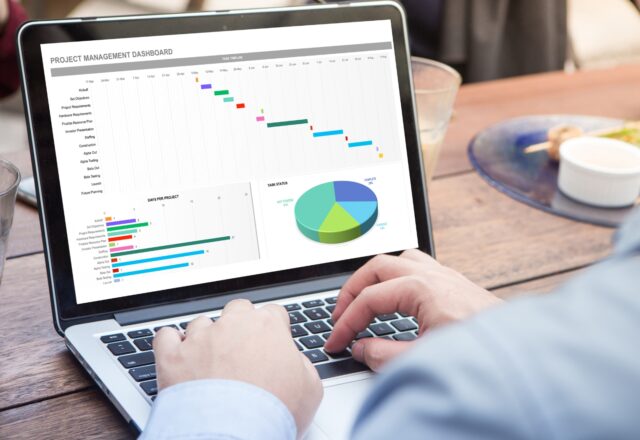
Create Financial Visualizations: Present financial information through charts, graphs, and visual summaries that make important figures easier to understand.
-
Automate Repetitive Tasks: Explore Excel macros and automation techniques to reduce manual work, improve workflow efficiency, and simplify recurring accounting processes.
-
Prepare Professional Reports: Organize financial results into clear, structured, and professional reports suitable for business reviews and financial presentations.
-
Support Financial Decisions: Use organized financial information and spreadsheet analysis to support budgeting, expense monitoring, planning, and everyday business decisions.
-
Work More Efficiently: Develop a systematic approach to managing spreadsheets, processing accounting data, and completing routine financial tasks.
These skills will help you become more comfortable working with financial information while improving your ability to use Microsoft Excel as a practical accounting and business management tool.
Who Is This For?
This course is suitable for anyone who wants to develop practical accounting and financial management skills using Microsoft Excel. It is particularly valuable for individuals who want to improve their ability to handle financial records, perform bookkeeping activities, and work with business spreadsheets.
You may benefit from this course if you are:
1. Aspiring Accountants
If you are interested in building a career in accounting, this course will help you develop practical spreadsheet-based accounting skills. You will gain a better understanding of how Excel can support financial recordkeeping, accounting calculations, data analysis, and reporting in professional environments.
2. Beginners Interested in Bookkeeping
If you want to learn how to organize financial transactions and maintain basic business records, this course will help you develop useful Excel bookkeeping skills. You will become more confident in working with income and expense records, organizing financial information, and maintaining structured spreadsheets.
3. Students and Recent Graduates
Students studying accounting, business administration, finance, or related subjects can benefit from learning how to apply Excel to practical financial activities. The skills gained can complement academic knowledge and help you prepare for entry-level administrative, accounting, and finance-related responsibilities.
4. Business Owners and Entrepreneurs
Managing business finances requires accurate records and a clear understanding of financial performance. This course will help you use Excel to monitor income and expenses, organize financial information, review business performance, and support better financial planning.
5. Administrative and Office Professionals
Professionals who regularly work with spreadsheets, invoices, expense records, budgets, or financial documents can strengthen their productivity through practical accounting applications of Excel.
6. Freelancers and Self-Employed Professionals
If you manage your own income, expenses, client payments, or business-related costs, learning Excel for Accounting can help you maintain organized financial records and develop better control over your finances.
7. Existing Accounting and Finance Professionals
If you already work in accounting or finance, this course can help you strengthen your Excel-based workflow. You can improve how you organize data, perform calculations, identify errors, automate repetitive activities, and prepare financial reports.
Requirements / Prerequisites
This course is designed to be accessible to beginners and learners who want to strengthen their existing accounting and Excel knowledge. You do not need to be an experienced accountant or financial professional to get started.
To get the most out of this course, you should have:
-
Basic Computer Skills: You should be comfortable using a computer, managing files, opening applications, and working with basic digital documents.
-
Access to Microsoft Excel: A computer with Microsoft Excel installed is recommended so you can follow along and practise the spreadsheet techniques covered in the course.
-
An Interest in Accounting: A willingness to understand financial records, business transactions, bookkeeping, and basic financial management will help you make the most of the learning experience.
-
Willingness to Practise: Developing practical Excel accounting skills requires hands-on experience. Regular practice will help you become more comfortable with spreadsheet functions, financial calculations, data organization, and reporting.
-
Attention to Detail: Accounting involves working with numbers and financial information, so being careful and organized will help you develop stronger recordkeeping habits.
No advanced accounting knowledge or professional Excel experience is required. The course is suitable for learners who want to build their skills progressively and understand how Microsoft Excel can be applied to everyday accounting activities.
Career Path
Developing practical accounting and spreadsheet skills can open the door to a range of professional opportunities across accounting, finance, administration, and business operations. Organizations regularly use Microsoft Excel to maintain records, monitor expenses, analyze financial information, and prepare reports. As a result, the ability to combine accounting knowledge with effective Excel skills can strengthen your employability and workplace productivity.
After completing this course, you will have a stronger foundation for pursuing or supporting roles such as:
1. Accounts Assistant
Apply your Excel skills to support routine accounting activities, organize financial transactions, maintain records, and assist with financial documentation and reporting.
2. Bookkeeping Assistant
Use your Excel bookkeeping skills to organize income and expense records, maintain transaction spreadsheets, track payments, and support day-to-day bookkeeping activities.
3. Junior Accountant
Build on your accounting knowledge and Excel capabilities to support financial recordkeeping, accounting calculations, data organization, and basic financial reporting responsibilities.
4. Finance Assistant
Assist with financial data management, expense tracking, budget monitoring, spreadsheet calculations, and the preparation of financial summaries.
5. Accounts Payable or Receivable Assistant
Use organized spreadsheets to help monitor payment information, maintain transaction records, track outstanding amounts, and support accounts-related administrative processes.
6. Administrative Assistant
Apply your spreadsheet and financial management knowledge to maintain expense records, organize business information, prepare reports, and support office operations.
7. Small Business Financial Administrator
Support the financial administration of a small business by organizing business transactions, monitoring income and expenses, preparing financial summaries, and maintaining structured records.
8. Freelance Bookkeeping Support
Use your Excel-based bookkeeping knowledge to provide basic financial recordkeeping and spreadsheet organization services to individuals, entrepreneurs, and small businesses, within the scope of your competence.
While completing this course does not automatically qualify you for a particular job or professional accounting certification, it can provide a valuable foundation for developing the practical skills expected in many entry-level accounting and finance-related positions.
Why Learn Accounting with Microsoft Excel?
Microsoft Excel remains an important tool for managing and analyzing financial information. Learning how to apply it to accounting can help you work more efficiently, improve your professional capabilities, and become more confident when handling financial responsibilities.
Here are some of the key benefits you can gain:
-
Practical, Workplace-Relevant Skills: Develop capabilities that can be applied to everyday accounting, bookkeeping, and financial administration tasks.
-
Better Financial Organization: Learn to structure and maintain financial records in a clear and accessible format.
-
Greater Accuracy and Reliability: Understand how to check financial information, reduce common spreadsheet errors, and maintain data integrity.
-
Improved Productivity: Use Excel functions and automation techniques to simplify repetitive work and save time.
-
Stronger Analytical Abilities: Turn raw financial figures into useful information that helps you understand business performance.
-
Professional Reporting Skills: Create organized financial reports and visual presentations that communicate financial information effectively.
-
Transferable Business Skills: Develop Excel capabilities that are useful across accounting, finance, administration, entrepreneurship, and other business-related fields.
The ability to work confidently with spreadsheets can make a meaningful difference in how you approach financial responsibilities. Instead of relying entirely on manual calculations and scattered records, you can use Excel to build more organized, efficient, and reliable financial workflows.
Take the Next Step Toward Practical Accounting Skills
Building a career in accounting or managing business finances effectively starts with developing the right practical skills. Understanding how to work with financial information, maintain accurate records, and prepare meaningful reports can help you become more capable and confident in professional environments.
The Accounting with Microsoft Excel: Practical Accounting Skills & Financial Management course gives you the opportunity to strengthen these abilities through a practical, spreadsheet-focused learning experience.
By developing your knowledge of Excel for Accounting, you can improve your bookkeeping capabilities, organize financial information more effectively, analyze financial performance, automate routine spreadsheet activities, and prepare professional reports.
Whether you are a beginner exploring accounting as a career, a professional looking to improve workplace productivity, or a business owner seeking better control over financial records, the skills you develop can support your next step.
Start building practical accounting and financial management skills with Microsoft Excel and gain the confidence to handle everyday financial tasks more efficiently.