


Design has evolved significantly over the past few years. You no longer require expert technical knowledge or costly desktop applications to create professional-quality visuals. Nowadays, platforms like Canva have enabled almost anyone to design high-quality graphics, presentations, and promotional materials directly through a web browser.
At its foundation, Canva Pro expands upon the standard Canva design platform by delivering advanced features, premium resources, and strong branding tools. Whether you are a newcomer searching for beginner-friendly Canva templates or a business owner seeking a reliable Canva-based online design solution, it offers a versatile and user-friendly experience.
This article explains how Canva Pro functions, why it stands out as an alternative to traditional graphic design software, and how it helps users create everything from social media visuals to presentations and complete brand identity designs.
What is Canva Pro and how does it differ from free design tools?
Canva Pro is the advanced and premium edition of the Canva free design software. Although the free version already provides a powerful collection of tools, the Pro version enhances the overall experience by adding premium templates, sophisticated editing options, and brand-oriented features.
In simple terms, Canva Pro can be described as a complete online design platform that blends ease of use with professional-level functionality. It still operates through a drag-and-drop editor, but it also offers greater control, automation, and creative flexibility for users.
The main concept behind Canva is accessibility and convenience. Instead of spending time learning complicated software such as Photoshop or Illustrator, users can easily select a template, personalise it according to their needs, and export a polished design within just a few minutes.
Core idea of Canva Pro:
- Simplify graphic design for everyone
- Remove technical barriers
- Speed up content creation
- Support branding consistency across platforms
The Canva drag and drop editor: Why it matters
One of the most defining features of the Canva design tool is its drag and drop editor. This is what makes the platform so intuitive, especially for beginners.
Instead of working with layers, masks, or complicated toolbars, users simply:
- Select an element (text, image, shape)
- Drag it onto the canvas
- Resize or reposition it instantly
This simplicity is what has made Canva a leading Canva social media design tool and a favourite among marketers, educators, and entrepreneurs.
Why the drag-and-drop system is effective:
- No design experience required
- Fast content creation
- Real-time visual feedback
- Easy experimentation with layouts
Even complex designs like posters or presentations can be created in minutes using this system.
Canva templates for beginners: A shortcut to professional design
One of the biggest advantages of Canva Pro is access to thousands of professionally designed templates. These Canva templates for beginners act as ready-made starting points for almost any design task.
Instead of building a design from scratch, users can select a template and adjust:
- Text content
- Colours
- Fonts
- Images
- Layout structure
Common template categories include:
- Instagram posts and reels covers
- Business flyers and brochures
- YouTube thumbnails
- CVs and resumes
- Marketing banners
- Pitch decks and presentations
For beginners, this removes the intimidation factor of design. Instead of worrying about layout theory or typography rules, they can focus on messaging and branding.
Canva graphic design software: More than just visuals

Although often described as a simple tool, Canva Pro functions as a full Canva graphic design software solution for individuals and teams.
It is not just about creating social media posts. It supports a wide range of design needs, including:
- Print design (posters, flyers, business cards)
- Digital marketing assets
- Educational materials
- Brand identity kits
- Presentation decks
- Video and animation content
This makes it suitable for freelancers, small businesses, content creators, and even corporate teams.
Unlike traditional software, everything is cloud-based, meaning users can access their designs from anywhere without installation or heavy system requirements.
Canva social media design tool: Built for modern marketing
Social media is one of the most common use cases for Canva Pro. The platform is specifically optimised as a Canva social media design tool, offering pre-sized templates for every major platform.
Instead of manually adjusting dimensions for each platform, users can select:
- Instagram post
- Facebook cover
- LinkedIn banner
- TikTok video
- YouTube thumbnail
Each format is already optimised for platform requirements.
Example use case:
A small business launching a product can create:
- Instagram carousel posts for awareness
- Facebook ads for targeting
- Story templates for engagement
- Promotional banners for offers
All within the same Canva online design platform.
This consistency helps businesses maintain a unified visual identity across channels.
Canva presentation maker online: Simple yet powerful
One of the most impressive capabilities is the Canva online presentation creator. This feature enables users to design professional slide presentations without depending on conventional software such as PowerPoint.
Canva Pro presentations are developed through the same user-friendly drag-and-drop interface, along with several enhanced functionalities, including:
- Animated slide effects
- Integrated multimedia (video and audio)
- Team collaboration and editing
- Presenter mode and display controls
Why many people choose Canva for presentations:
- Quicker and more convenient creation process compared to traditional software
- Stylish and visually attractive templates
- Simple sharing through direct links
- No need for downloading or installing any application
For teachers, learners, corporate teams, and professionals, this platform makes presentation creation far more productive and time-saving.
Canva branding tools: Building a consistent identity
One of the most powerful upgrades in Canva Pro is its branding system. The Canva branding tools allow users to maintain consistency across all designs.
This is especially important for businesses that need to ensure their marketing materials look cohesive.
Key branding features include:
- Brand colour palettes
- Font pairing systems
- Logo storage
- Brand templates
- Style guides
Once set up, these tools ensure every design follows the same visual identity automatically.
Example:
A bakery brand can set:
- Soft pastel colour palette
- Two signature fonts
- Logo placement rules
Then apply these settings across:
- Social media posts
- Flyers
- Menus
- Promotional ads
This creates a professional, recognisable brand presence without needing a designer.
Canva Pro for small business marketing
For entrepreneurs and startups, Canva Pro is often used as a complete Canva online design platform for marketing operations.
Instead of outsourcing design work, small businesses can create their own marketing assets quickly and affordably.
Key advantages for small businesses:
- Reduced design costs
- Faster turnaround for campaigns
- Easy experimentation with creatives
- Consistent branding across channels
Practical marketing examples:
- A clothing store can design weekly promotional posts
- A café can create menu updates and seasonal offers
- A coaching business can build lead magnets and PDFs
This flexibility makes Canva Pro especially valuable in fast-moving markets where content needs to be updated frequently.
Canva free design software vs Canva Pro: A clear comparison
While the free version of Canva is powerful, Canva Pro adds several advanced features that significantly improve workflow and output quality.
| Feature | Free Version | Canva Pro |
| Templates | Limited access | Full premium library |
| Stock images | Basic library | Millions of premium assets |
| Branding tools | Not available | Full brand kit system |
| Background remover | Not included | One-click tool |
| Storage | Limited | Expanded cloud storage |
| Team collaboration | Basic | Advanced collaboration tools |
This comparison shows why many users upgrade once they begin using Canva more seriously for business or content creation.
Real-world example: Creating a marketing campaign in Canva Pro
To understand how Canva Pro works in practice, consider a small online business launching a seasonal sale.
Using Canva, they can:
- Choose a promotional template
- Apply brand colours and fonts
- Add product images using drag-and-drop
- Resize the design for Instagram, Facebook, and email banners
- Export and schedule posts
What traditionally might take hours or require a designer can be completed in under an hour.
Why Canva Pro continues to grow in popularity
The success of Canva Pro is largely due to its balance between simplicity and capability. It removes technical barriers while still offering enough depth for professional work.
Key reasons for its popularity:
- Intuitive drag-and-drop editor
- Massive template library
- Strong branding features
- Versatility across design types
- Cloud-based accessibility
For many users, it has become the default Canva design tool for everyday creative work.
In the next section, we will explore more advanced workflows, productivity strategies, and deeper use cases of Canva Pro, including automation features, collaborative design systems, and how businesses scale content production using the platform.
Advanced Canva Pro Workflows and How to Get More from the Platform
As users become more familiar with Canva, the platform naturally shifts from being a simple design tool into something closer to a full creative system. While many people start with templates and basic edits, Canva Pro reveals its real value when it is used for structured workflows, brand systems, and repeatable content production.
At this stage, it is less about “making a design” and more about building a process that consistently produces high-quality visuals across multiple channels.
Moving beyond templates: building repeatable design systems

Templates are frequently considered the starting gateway into Canva, particularly for people exploring Canva templates for beginners. However, Canva Pro is built to support users in progressing beyond single-use designs and toward creating repeatable workflows and systems.
Rather than beginning from zero every single time, users can develop a collection of reusable design frameworks. This may involve a standard layout style for social media content, a uniform header structure for presentations, or an organized advertisement format that can be refreshed weekly.
The main benefit is not only faster workflow efficiency. It also helps minimize decision fatigue. When the structure of a design is already predetermined, users can focus less on testing endless ideas and more on enhancing the actual content.
For instance, a fitness trainer may design a fixed Instagram post template where only the title and background photo are updated for each post. The remaining elements stay unchanged, helping strengthen brand consistency without requiring additional effort.
This is the stage where Canva evolves from simply being a Canva graphic design software tool into something much more advanced, functioning like a complete content creation and production system.
Working with Canva branding tools at scale
The Canva branding tools in Canva Pro become especially powerful when applied across multiple projects rather than individual designs. Once a brand kit is properly set up, it acts like a central identity hub that guides every visual decision.
Instead of manually choosing fonts or colours each time, users rely on predefined brand settings that automatically keep designs aligned. This is particularly important for businesses that publish content frequently, where small inconsistencies can weaken overall brand perception.
In practice, this means a marketing team can create multiple designers or contributors without losing visual consistency. Even if different people are working on different campaigns, the output still looks like it comes from the same brand.
Over time, this consistency builds recognition. Audiences begin to associate specific colours, typography, and layouts with the business itself, which is a key part of long-term brand growth.
Canva drag and drop editor in professional workflows
While the Canva drag and drop editor is often described as beginner-friendly, it becomes even more useful in professional workflows where speed matters more than technical control.
In a traditional design environment, making quick changes can be time-consuming. In Canva, however, adjusting layouts, swapping images, or resizing elements happens almost instantly.
This is particularly useful in fast-paced environments like social media marketing, where content often needs to be adjusted based on performance or trends. A design that underperforms can be quickly updated and republished without rebuilding it from scratch.
The simplicity of the editor also encourages experimentation. Designers and marketers can test multiple variations of the same concept without worrying about complexity slowing them down. Over time, this leads to more data-driven creative decisions, especially in advertising and content marketing.
Canva social media design tool in real campaigns
As a Canva social media design tool, Canva Pro plays a major role in modern digital marketing strategies. Social media content is no longer optional for businesses; it is often the primary way they communicate with customers.
What makes Canva particularly effective here is not just the templates, but the ability to adapt content across multiple platforms quickly. A single idea can be turned into an Instagram post, a LinkedIn graphic, a Facebook banner, and a story format without redesigning everything from scratch.
This cross-platform flexibility is essential for maintaining consistency in messaging while still respecting the visual requirements of each platform. Instead of treating each channel as separate, Canva encourages a unified content approach.
For small businesses, this can significantly reduce the time needed to maintain an active online presence. For larger teams, it helps streamline campaign rollout across multiple departments or regions.
Canva presentation maker online for business communication
The Canva presentation creator platform online has gradually evolved into one of the most popular and frequently utilized features in Canva Pro, particularly across corporate and academic environments.
Unlike conventional presentation applications, Canva presentations follow a more design-oriented approach. This allows users not only to organize bullet points on slides but also to craft visually appealing and strategically structured storytelling experiences.
This distinction plays a significant role in professional communication. A professionally designed presentation is generally easier to understand, more interactive, and often far more convincing. Canva enhances this process by focusing on layout-centered creativity instead of traditional text-heavy slides.
Within business environments, this feature is commonly applied for pitch decks, company reports, employee onboarding resources, and customer presentations. Since the entire system operates through cloud-based technology, teams are able to collaborate instantly in real time, minimizing complications related to file transfers or version management.
As a result, the overall workflow becomes more efficient and streamlined, where presentation development transforms into an integrated part of the content management process rather than being treated as an isolated task.
Canva online design platform for collaboration
One of the more understated strengths of Canva Pro is its role as a collaborative Canva online design platform. Modern content production rarely happens in isolation. Even small teams often involve multiple contributors, such as marketers, copywriters, and business owners.
Canva allows multiple users to work on the same project without disrupting each other’s progress. Changes appear in real time, which reduces the need for back-and-forth revisions.
This is particularly useful for agencies or remote teams. Instead of sending files via email and tracking versions manually, everything exists in a single shared workspace.
Comments and feedback are also integrated directly into designs, which helps keep communication contextual. Rather than explaining changes in separate documents, feedback is attached to the exact element that needs adjustment.
Canva free design software limitations and upgrade motivation
While the Canva free design software version is still highly capable, its limitations become more noticeable as usage increases. Users often start to feel restricted by access to premium assets, advanced editing features, and branding tools.
For casual users, the free version is usually enough. However, for anyone working in marketing, content creation, or business branding, these limitations can slow down production.
This is typically when users transition to Canva Pro. The upgrade is less about adding complexity and more about removing friction. Instead of constantly working around restrictions, users gain smoother access to tools they are already using frequently.
In many cases, the decision to upgrade is driven not by one feature, but by the accumulation of small inefficiencies in the free version.
Canva graphic design software in content production pipelines
As Canva becomes increasingly integrated into professional workplaces, it frequently serves a key role in content creation workflows. This means it is not only utilised for designing individual graphics, but also for managing complete production processes.
For instance, a marketing department may rely on Canva to create weekly social media posts, monthly email newsletters, and seasonal advertising campaigns. Each of these deliverables follows an organised workflow, usually beginning with templates and ending with scheduled publication.
Since Canva is cloud-based, it also fits smoothly into content scheduling and planning systems. Teams can create, review, edit, and finalise visual assets within a single platform without needing to switch between different tools.
Over time, this develops a more streamlined and productive system where design becomes an essential part of a broader content marketing strategy instead of just an independent task.
Canva Pro for scaling small business marketing
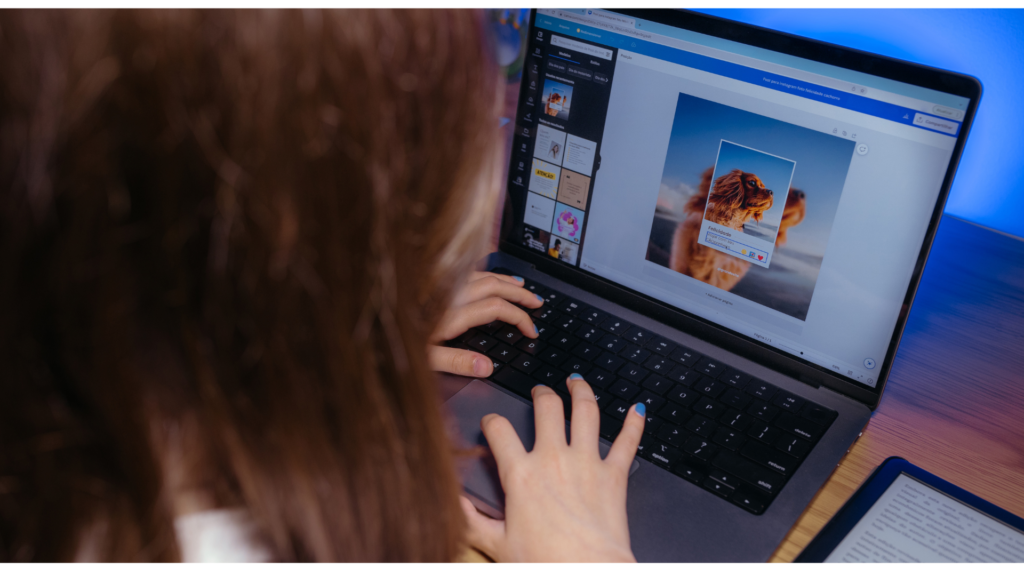
For small businesses, Canva Pro is often the bridge between basic DIY marketing and more structured brand communication. It allows businesses to scale their output without immediately hiring designers or agencies.
A small business might begin by creating occasional posts, but over time, they can develop a full content calendar supported by reusable templates and brand kits. This makes it possible to maintain a consistent marketing presence even with limited resources.
The real advantage is scalability. As the business grows, Canva grows with it. More content, more platforms, and more campaigns can all be handled within the same system.
This makes Canva not just a design tool, but a long-term marketing infrastructure for many small and medium-sized businesses.
Final thoughts on Canva Pro as a complete design ecosystem
Canva Pro has evolved far beyond a simple Canva design tool. It now functions as a complete creative ecosystem that supports individuals, teams, and businesses across every stage of content creation.
From simple social media posts to full branding systems and presentation workflows, it removes many of the traditional barriers associated with design work. More importantly, it shifts design from a technical skill into an accessible, repeatable process.
For most users, the value of Canva Pro is not just in what it can create, but in how much time and complexity it removes from the creative process.